
Call us now :07971190997
 Send Inquiry
 Send Inquiry
APC Computer UPS
Price 14500 INR/ Unit
MOQ : 1 Unit
APC Computer UPS Specification
- Port Type
- Universal Socket
- Batteries Type
- Sealed Lead Acid
- Material
- ABS Plastic
- Power Capacity
- 600 VA / 360 W
- Control System
- Microprocessor Based
- Cooling System
- Air Cooling
- Battery Backup
- Yes
- Efficiency (%)
- 95%
- Type
- Standby
- Phase
- Single Phase
- Protection
- Over Voltage
- Output Voltage
- 230V AC
- Recharge Time
- 4-6 Hours
- Back-Up Time
- 15-20 Minutes
- Interface Type
- USB Port
- Size
- 280 x 101 x 220 mm
- Weight
- 4.7 kg
- Color
- Black
- Audible Alarm
- Battery Low, Overload, Fault
- Number of Outlets
- 3
- Surge Protection
- Full Automatic
- Transfer Time
- 2-6 ms
- Input Voltage
- 145-290V AC
- Relative Humidity
- 0-90% (Non-condensing)
- Mounting Type
- Desktop
- Operating Temperature
- 0°C to 40°C
- Frequency Range
- 50/60 Hz
- LED Indicators
- Power On, Battery Mode, Fault
APC Computer UPS Trade Information
- Minimum Order Quantity
- 1 Unit
- Payment Terms
- Cash Advance (CA)
- Supply Ability
- 100 Units Per Month
- Delivery Time
- 7 Days
- Main Domestic Market
- All India
About APC Computer UPS
The offered APC Computer UPS is available from 600 VA to 2.2 KVA in internal battery with offline / line interactive and online UPS technology. These UPS are suitable for battery back-up 10 minutes and battery back-up time of APC Computer UPS depends on load to be connected on UPS.
| Battery Charging Current | Depends on UPS rating |
| Frequency On Battery | 50 Hz |
| Output Frequency (sync to mains) | 50 Hz |
| Minimum dimensions (W x D x H) | 150-200 VAC |
| Usage/Application | Regular office desktop, gaming desktop, CCTV, Thumb machine |
| Warranty | 2 Yrs |
| Material | plastic |
Reliable Power Protection
With full automatic surge protection and standby-type operation, this UPS ensures your devices remain safe from voltage fluctuations and electrical anomalies. Microprocessor controls help optimize performance, while over-voltage protection secures your equipment against damage.
Convenient User Features
LED indicators and clear audible alarms provide instant feedback on system status, battery conditions, and faults. The universal socket design accommodates various plug types, making it adaptable for diverse device requirements in homes, offices, or small businesses.
Efficient Battery Backup
Enjoy uninterrupted use of your devices with up to 20 minutes of battery backup during outages. Quick recharge times of 4-6 hours and efficient energy management (up to 95% efficiency) allow for frequent use without sacrificing performance or reliability.
FAQ's of APC Computer UPS:
Q: How does the APC Computer UPS protect my devices from power disruptions?
A: The APC Computer UPS automatically provides backup power in case of outages, safeguards against voltage spikes with surge protection, and uses microprocessor controls for consistent power delivery. LED indicators display real-time status, and audible alarms signal battery issues or faults.Q: What types of devices can I connect to the UPS's universal sockets?
A: You can connect computers, routers, modems, and other essential electronic devices to the three universal outlets. The design supports various plug types commonly used in India, ensuring compatibility for most home or office setups.Q: When should I recharge the UPS battery?
A: After a power outage or extended use on battery, recharge the UPS as soon as normal power resumes. The rechargeable sealed lead acid battery typically takes 4-6 hours to fully restore, ensuring readiness for the next interruption.Q: Where is the optimal location to install this UPS?
A: This UPS is designed for desktop mounting, making it ideal for placement on or near your workstation. Ensure the location is within the specified operating temperature range (0C to 40C) and in a dry environment to avoid moisture exposure.Q: What process does the UPS follow during a power failure?
A: Upon detecting power loss, the UPS switches to battery mode within 2-6 milliseconds, avoiding device shutdown. It continues to supply power from its sealed lead acid battery for up to 15-20 minutes, then triggers an audible alarm as the battery gets low.Q: How do the LED indicators and audible alarms benefit users?
A: LED indicators show whether the UPS is on AC power, battery mode, or experiencing a fault. Audible alarms alert users to battery low, overload, or fault conditions, allowing prompt action to safeguard connected devices.Q: What advantages does the microprocessor-based control system provide?
A: The microprocessor-based control enhances the UPS's efficiency, optimizes battery usage, and enables rapid transfer time (2-6 ms) in power switching. This results in reliable, consistent protection for your electronics.
Tell us about your requirement

Price:
Quantity
Select Unit
- 50
- 100
- 200
- 250
- 500
- 1000+
Additional detail
Mobile number
Email

More Products in Offline UPS Category
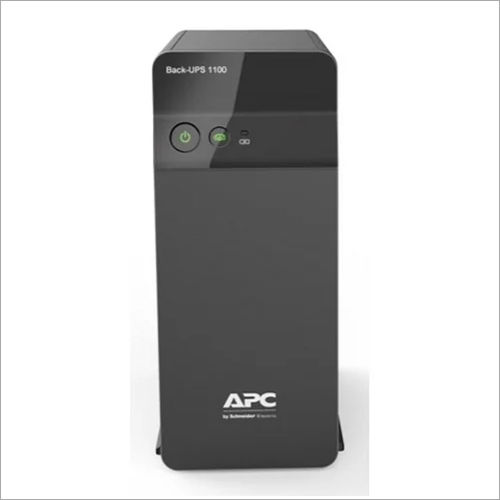
APC Line Nteractive UPS
Price 6000 INR / Unit
Minimum Order Quantity : 1 Unit
Type : Standby
Color : Black
Phase : Single Phase
Back-Up Time : 2030 Minutes
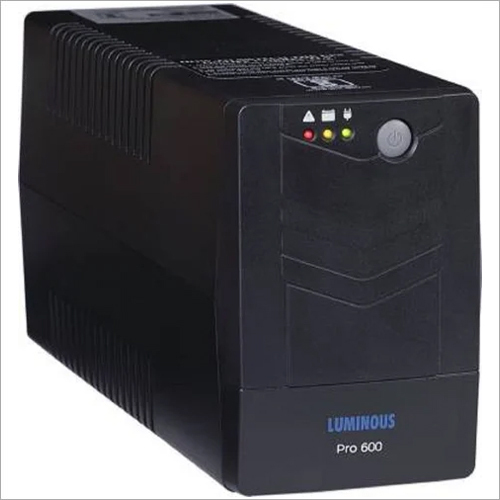
Industrial Line Interactive Computer UPS
Price 2000 INR / Unit
Minimum Order Quantity : 1 Unit
Type : Standby
Color : Black
Phase : Three Phase
Back-Up Time : 1015 Minutes Minutes
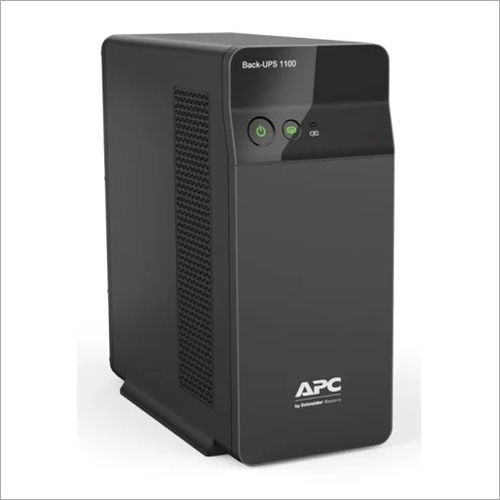
APC BX1100C IN UPS System
Price 6000 INR / Unit
Minimum Order Quantity : 1 Unit
Type : Standby
Color : Black
Phase : Three Phase
Back-Up Time : 2030 Minutes
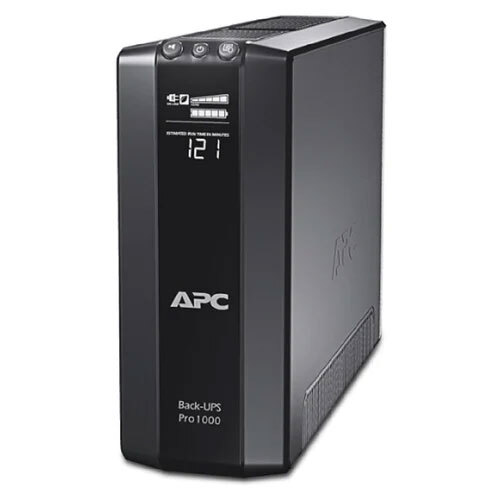
APC Computer UPS
Price 3540 INR / Piece
Minimum Order Quantity : 1 Piece
Type : Other, Offline Ups
Color : Black
Phase : Single Phase
Back-Up Time : 2060 Minutes


 Send Inquiry
Our Products
- Emerson 3Phase Industrial UPS
- Three Phase Online UPS
- APC Online Ups
- APC Easy UPS
- Smart UPS
- APC Back UPS
- Offline UPS
- SMF Battery
- UPS Battery
- Online UPS
- Numeric Line Interactive UPS
- Ups System
- Ups
- Internal Battery Online UPS
- Emerson Online Ups
- UPS Installation and Maintenance Services
- Electrical UPS
- SINGLE PHASE DOUBLE CONVERSION ONLINE UPS

S. No. 696, Plot No 475/C/1, Near Atithi Hotel, Near Saubhagya Mangal Karyalay, Shatrunjay Vihar Society, Parsanees Colony, Gultekadi, Pune, Maharashtra 411037Pune - 411037, Maharashtra, India

Mr Nilesh SANCHETI
(Partner)
Mobile :07971190997
 Send Inquiry
 Send SMS
Developed and Managed by Infocom Network Private Limited.
